Alambique Index: A Local, Private RAG Over Your Own Reference Library
Alambique Index is a local, private retrieval engine for my own reference library — a decade of iA Writer notes, a shelf of EPUBs, and a folder of academic PDFs. I ask it a question in plain language and it gives me an answer with citations back to the exact passages it used. The part that matters most: not one byte of the library, and not one word of the question, ever leaves my machine.
In this article
- Why I built it
- What it does
- One rule: nothing leaves the machine
- How it works
- Hybrid retrieval, and why every answer is cited
- Watching retrieval happen
- Two ways to run it
- What comes next

Why I built it
I keep almost everything I read and think in two places. Notes go into iA Writer as plain Markdown, organized into numbered topic folders I have been tending for years. Books and papers live as EPUBs and PDFs in a Drive folder. Between them there are tens of thousands of paragraphs I have deliberately chosen to keep, and almost no good way to ask across all of them at once.
Full-text search finds the word, not the idea. It cannot connect a note I wrote about chunking to a paragraph in a paper that never uses the word "chunk." The obvious 2026 answer is to hand the whole pile to a hosted assistant and ask in plain English, and that is exactly what I did not want to do. My reading list is a fairly complete map of what I care about and how I think. Uploading it to someone else's server, to be logged and retained and trained on under terms that change quarterly, is a trade I am not willing to make for the convenience of a search box.
So the requirement wrote itself. I wanted to ask my own library questions and get answers grounded in it, with citations I could check, and I wanted the whole thing to run on hardware I own with nothing exposed to the internet. Alambique Index is that system.
What it does
You point it at your folders once. It reads your Markdown, your EPUBs, and your PDFs, breaks each one into passages, and builds a private index. From then on you ask questions in a console that runs at localhost, and it answers from your own material with numbered citations you can click to jump to the source passage.
![The Alambique Index Local Retrieval Console: a query box with filters on the left, a grounded answer citing sources [1], [2], and [3], and a column of retrieved source cards on the right showing an EPUB, a PDF page, and a Markdown note.](https://corbet.app/img/writing/blog-console.webp)
What it does, concretely:
- Answers in plain language from your own notes, books, and papers, with inline
[1],[2]citations that open the exact source passage. - Reads three formats natively — iA Writer Markdown, EPUB, and PDF — including scanned PDFs, which it OCRs locally so image-only pages are not silent gaps.
- Remembers the conversation, so a follow-up like "and the clay-pot variant?" is resolved against what you just asked.
- Lets you scope a query by collection, document type, or your own note tags, so recipes never pollute a question about distillation.
- Has a drafting scratchpad — pin answers and passages, edit them into a document, export Markdown.
- Runs fully offline. After first setup there are zero external requests, down to the fonts.
From a terminal it is one command, and the shape of the output is the whole point:
# ask a question; get an answer plus the sources behind it
ask "What do my notes say about chunking strategy?"

=== ANSWER ===
Your corpus chunks iA Writer notes on `##` boundaries and sub-splits long
sections with overlap [1], while PDFs are split per page after stripping
headers and footers [2].

=== SOURCES ===
  [1] Local RAG Notes — ## Retrieval   (note.md)          (score 0.81)
  [2] Attention Is All You Need — p. 3  (attention.pdf)   (score 0.64)
Every answer arrives with its receipts. If the material to answer a question is not in your library, it is built to say so rather than invent something — more on that below.
One rule: nothing leaves the machine
Most of the design falls out of a single constraint: nothing leaves the machine. That is not a setting I can forget to turn on. It is wired into where each piece runs.
The two models, one that turns text into vectors and one that writes the answer, run natively on the Mac through Ollama, on the GPU, reached over localhost. Parsing is done by PyMuPDF, entirely on-device; the cloud PDF parsers that would happily "improve" extraction by uploading your documents are banned by construction. The vector index is a local Chroma database. There is one control file, and reading it tells you the whole privacy story:
# config.yaml — one control file; everything swappable without code edits

embedding:
  provider: ollama
  model: bge-m3                                   # runs on YOUR machine
  base_url: "http://host.docker.internal:11434"   # the Mac, never a cloud API

generation:
  provider: ollama
  model: "qwen3:30b-a3b"                           # also local
  base_url: "http://host.docker.internal:11434"

vector_store:
  type: chroma            # local file-backed DB (Phase 2 can swap in Qdrant)
  path: "/data/chroma"

server:
  bind: "127.0.0.1"       # localhost only; never 0.0.0.0
  cors_origins: []        # no cross-origin callers by default
When it runs in a container, that container publishes no ports at all; the app is only reachable from inside it. The model endpoint points at the host, not at a vendor. There is no telemetry to disable because there is none. The reason to build it this way, rather than to promise privacy in a policy document, is that a promise can be revised and a closed port cannot.
How it works
There are three stages, and each maps to a plain idea.
Materialize. My files live in iCloud, where most of them are "dataless" placeholders: the name is on disk but the bytes are in the cloud until something asks for them. So the first step is a small script that pulls the real files down and copies them into a local staging folder, read-only. Nothing is ingested that has not first been made concretely local.
Ingest. A walker reads every file, parses it by type, and splits it into passages: Markdown on its ## section boundaries, PDFs per page with the running headers and footers stripped, EPUBs by chapter. Each passage is embedded, turned into a 1,024-dimension vector that encodes its meaning, and written to the index alongside its metadata. Re-running is incremental: unchanged files are skipped, and an identical file living at two paths is embedded once.
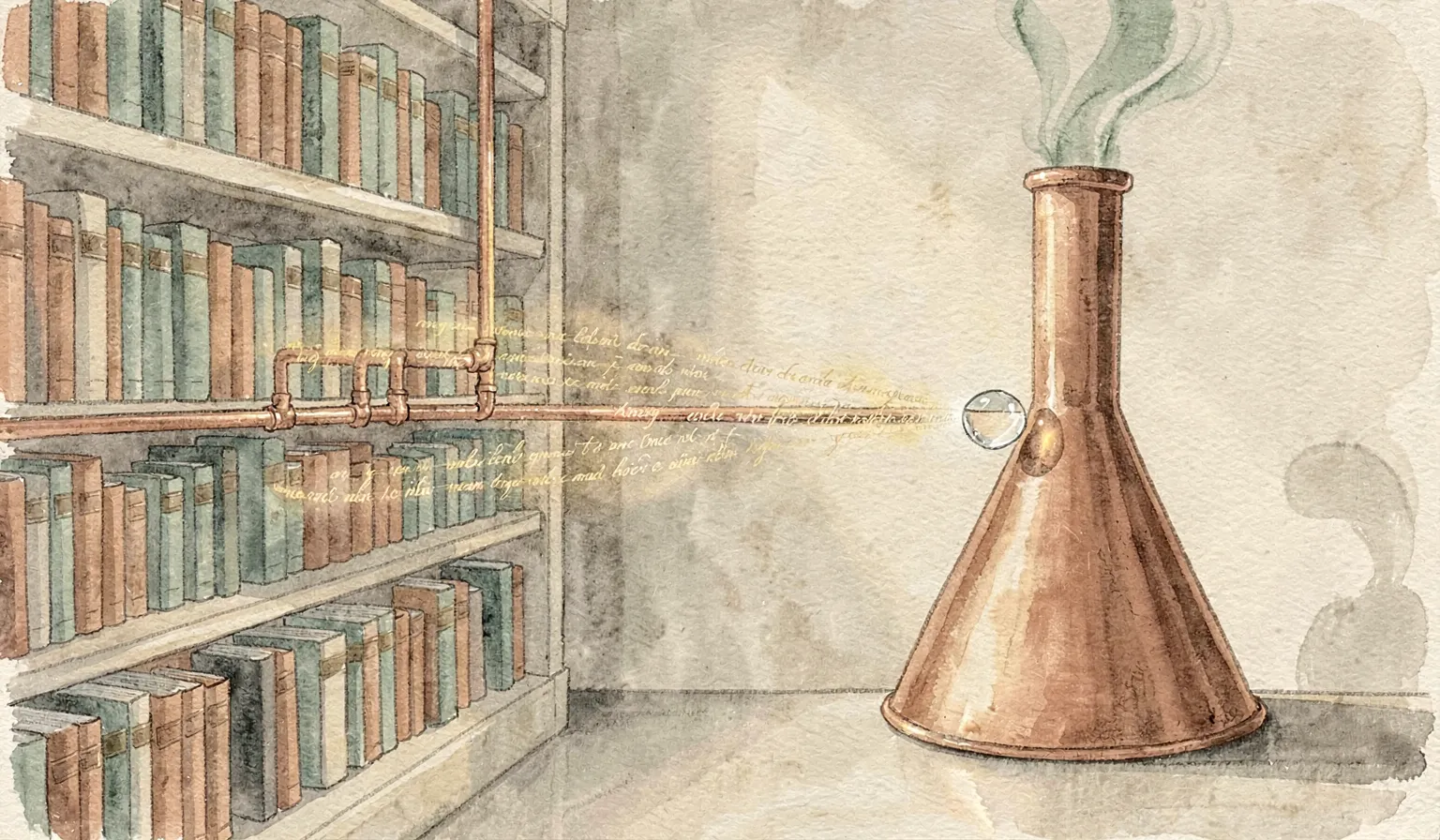
Ask. A question is embedded the same way, the index is searched for the passages nearest in meaning, those passages become the context, and the local chat model writes an answer that cites them. The prompt is strict: use only the supplied context, cite with bracket numbers, and if the answer is not in the context, say you don't know rather than guess. The whole loop of embed, retrieve, generate happens between the Mac's GPU and a database on its own disk.
Hybrid retrieval, and why every answer is cited
The quality of a RAG system is almost entirely the quality of its retrieval. Hand the model the wrong passages and it will write a confident, well-formed, wrong answer. So retrieval here is deliberately not just vector search.
Two retrievers run and their results are fused. Vector search catches meaning: the note about chunking and the paper that never says "chunk." BM25, a classic keyword ranker, catches the exact term, a specific name or an acronym or a piece of code, that an embedding can smear away. Their rankings are combined with reciprocal-rank fusion, which trusts a passage that both methods rank highly, and a local cross-encoder then re-reads the top candidates against the question and reorders them for precision.
# retrieve.py — dense vectors + BM25, fused by rank, all local
fusion = QueryFusionRetriever(
    [vector_retriever, bm25],
    similarity_top_k=k,
    num_queries=1,                 # no LLM query rewriting — stays local + fast
    mode="reciprocal_rerank",      # rank-based fusion; robust and weight-aware
)
Citations are not a nicety bolted on at the end; they are the reason to trust the thing. Because every sentence is meant to trace to a retrieved passage, and every passage is shown with its document, location, and score, I can check the work in one click. If the model reaches past its sources, I can see it. And because the prompt tells it to decline when the library does not contain the answer, "I don't have that" is a valid, useful response instead of a failure to paper over.
Watching retrieval happen
Retrieval is abstract until you see it, so I built a way to see it. Every passage in the index can be projected onto a two-dimensional map, placed by meaning, so related ideas settle into topic clusters — coffee over here, literature over there, cooking off in its own corner. Ask a question and a point drops for it, beams out to the nearest passages, lights the ones it pulls in, and the answer resolves on a little terminal in the middle.
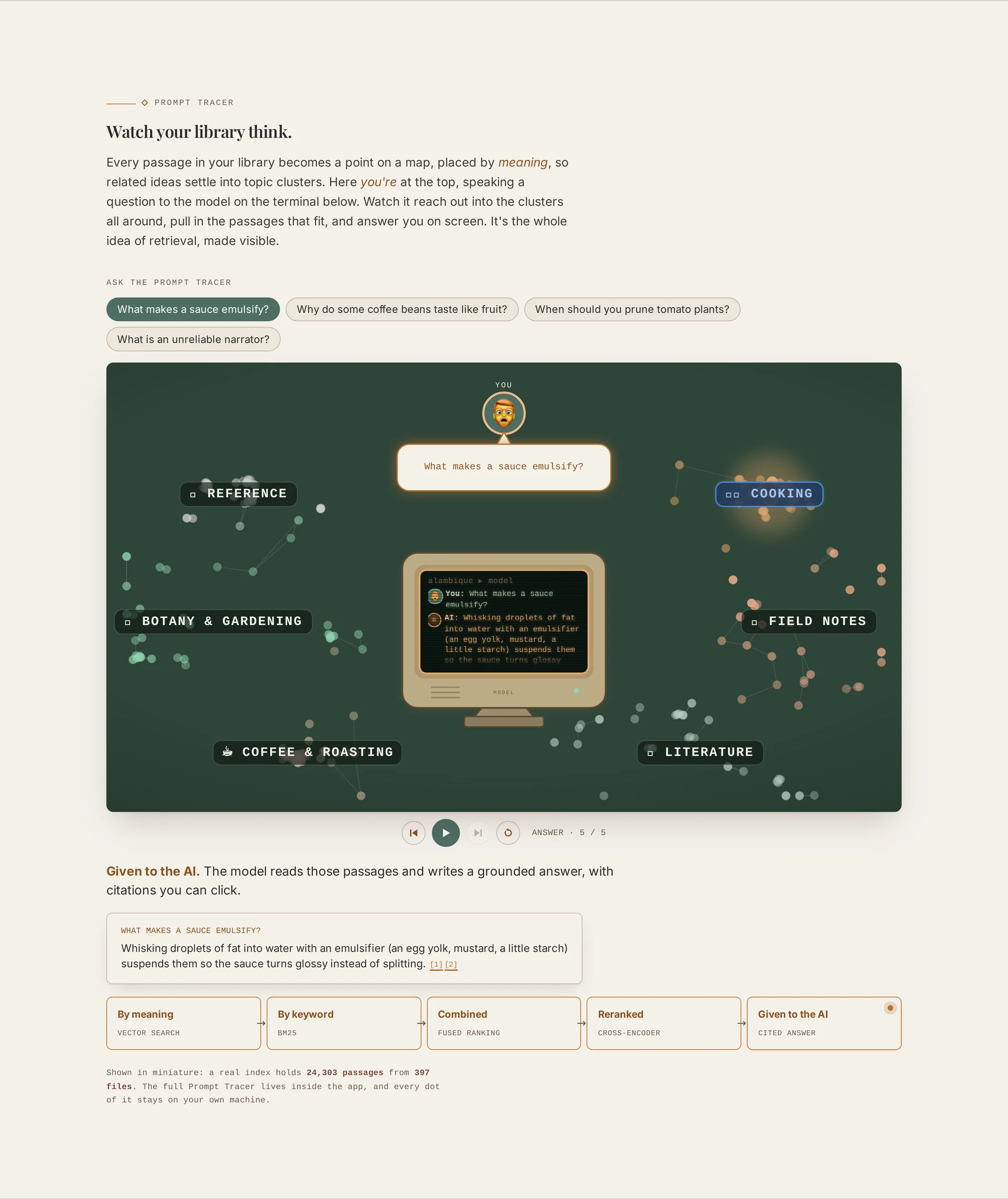
It is partly a teaching tool, the clearest way I have found to explain why this is different from a keyword search, and partly just satisfying to watch. The important detail is the caption: every dot of it is computed and drawn on the same machine that holds the library. The map is not a rendering of my documents shipped somewhere to be laid out. It is my documents, mapping themselves.
Two ways to run it
The same code runs two ways, and the split is intentional. On the Mac it runs host-direct: a double-click launcher sets up a virtual environment on first run, makes sure Ollama is up, and serves the console at localhost:8000. The index is a plain folder on disk you can copy or back up, and native storage sidesteps a real bug I hit early, where SQLite on a macOS-to-Linux bind mount throws disk-I/O errors under load. That failure is the reason the Mac path avoids Docker entirely.
The second way is a container, and that path exists for where this is going rather than where it is now. Everything the app needs is in one image with two entry points, ingest and ask; the host only runs the models and materializes the corpus. Moving to another machine is meant to be re-pointing two things, the model endpoint and the corpus mount, and nothing else. The single config file is the seam that makes that promise keepable.
What comes next
This is the Phase 1 proof of concept, and it works: it ingests the real corpus, answers from it, and cites its sources, all offline. What is next is mostly about where it lives.
The plan is to move the container off the laptop and onto my Unraid server, which already runs the rest of my homelab. Because inference is reached over a URL and the corpus is a mount, that migration should need no code changes; the whole architecture was shaped around this move. The models can keep running on the Mac's GPU and be reached across the network, or move to the server; the config decides. For reaching the console from my phone without exposing anything to the public internet, the intended path is a Cloudflare Tunnel paired with Tailscale, so the service stays private while I stop being tied to one laptop.
A few smaller things are queued behind that. The vector store is pluggable, and a larger corpus on the server is the point where swapping local Chroma for Qdrant starts to earn its keep. The Docker image still ships the build toolchain it needed to compile one dependency; a multi-stage build will slim it down before it becomes a long-running service. And there is a second interactive surface, a "Prompt Lab" for pulling the retrieval pipeline apart step by step, that is built but not yet wired into the front door.
One thing I am deliberately not doing is adding query rewriting or an agent loop that phones out mid-question. Every one of those is a place where a request could leave the machine, and the entire value of this project is that none of them do.
There is no hosted demo to click, and that is the point: Alambique Index is meant to run on your hardware, over your own library, not mine. The code and the full write-up live on GitHub. If you have a pile of notes and books you would rather not upload to anyone, it is about as little as a private, cited, local answer engine can be built from.
Written by Corbet Griffith, a UX Engineer and Technical Product Manager with an MS in UI/UX from the University of Michigan. I am currently open to full-time opportunities. If you are hiring or know someone who is, my portfolio is here.
If this was useful, you can buy me a coffee on Ko-fi.
Last updated: July 1, 2026